

What's New About RDS for MySQL
What's New About RDS for MySQL

RDS for MySQL Now Supports MySQL 8.4
Kernel Minor Version Selection
Vector Storage and Search Support
One-Click Rebuild for the Standby Node or Read Replicas
Why RDS for MySQL?
Why RDS for MySQL?
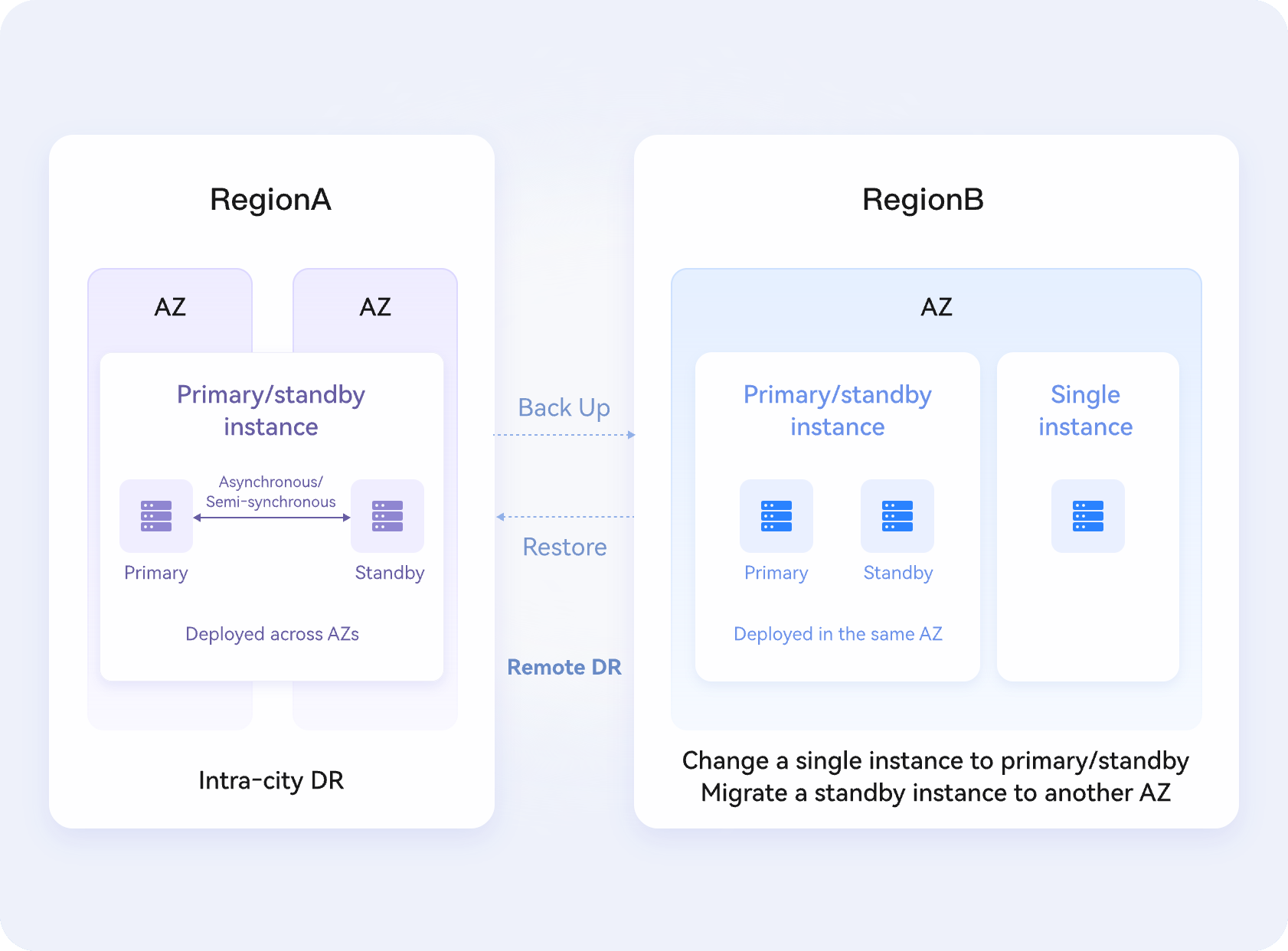
· Restore data of a database or table to any point in time.
· Leverage a hot standby architecture, where a failover takes only a few seconds. An RTO of less than 60 seconds can be achieved.
· Use the same IP address and port number for logging to your DB instance after a primary/standby switchover is initiated.
· Use cloud disks to store three copies of your data for redundancy and reliability.
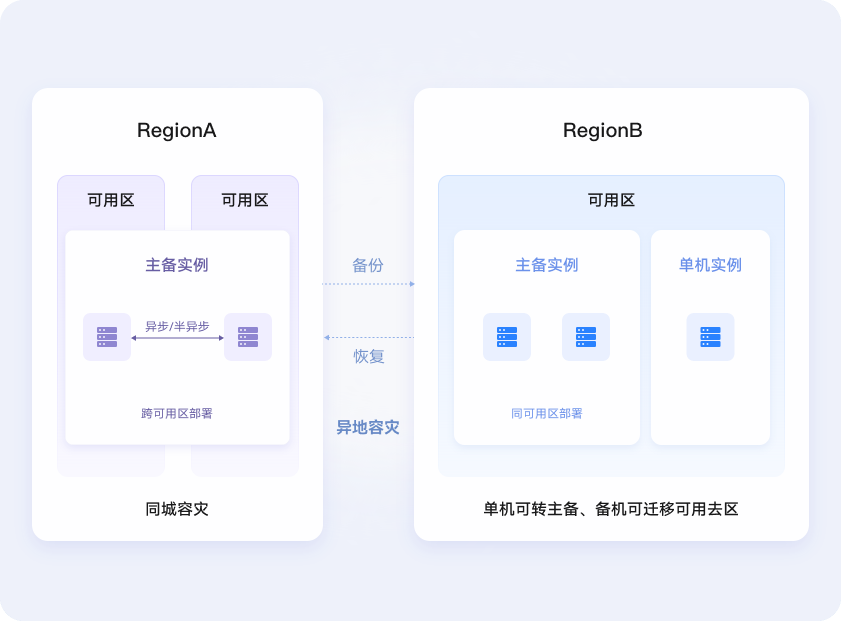
· RDS for MySQL is 100% compatible with native MySQL.
· RDS supports global transaction identifiers (GTIDs). Data can be transparently migrated from MyISAM to InnoDB without changing code.
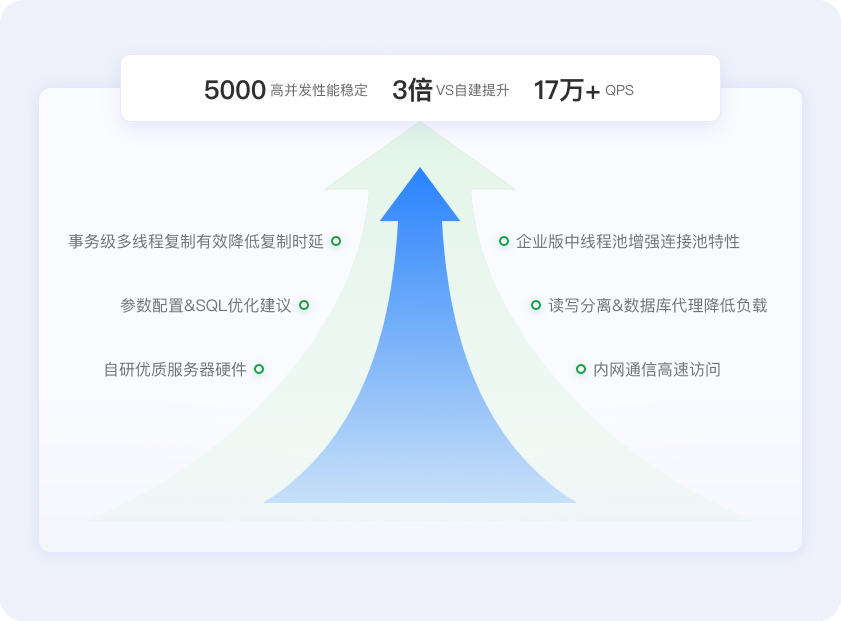
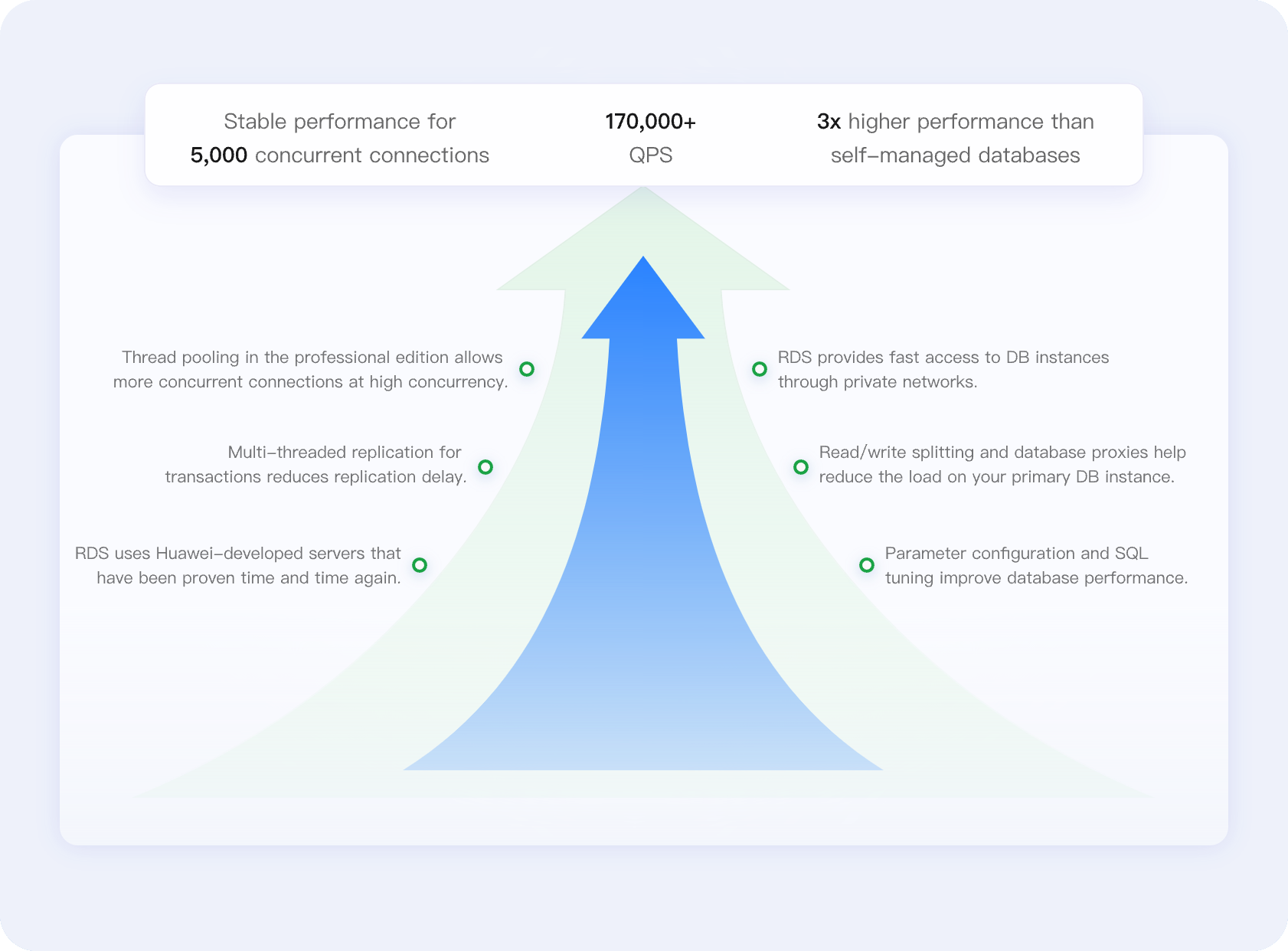
· RDS offers stable, high-performance database services using servers that have been proven time and again, delivering customer success in a wide range of scenarios.
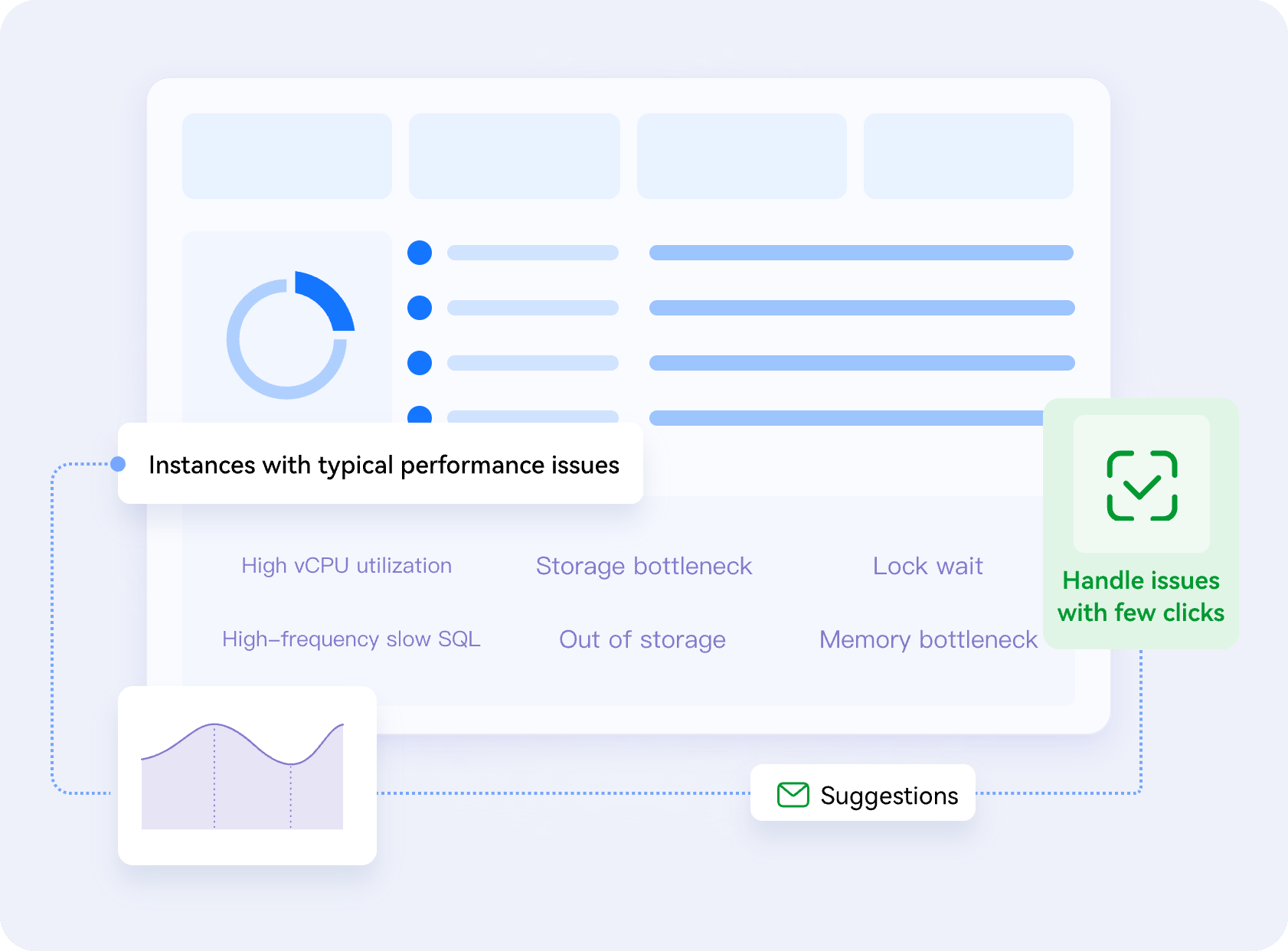
· Fault diagnosis: Detect typical database issues and obtain a quick summary of instance statuses and alarms.
· Capacity analysis: Diagnose tablespace exceptions, display storage trends, and support both automatic and manual scale-out.
· SQL analysis: Sort slow SQL statistics by multiple dimensions or view slow queries over time. Suggestions for tuning slow SQL statements are provided too.

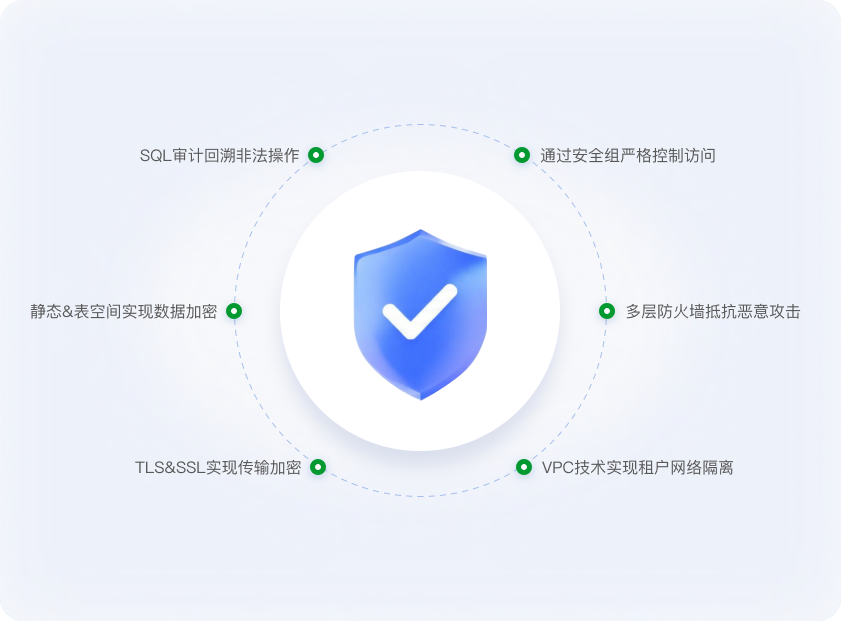
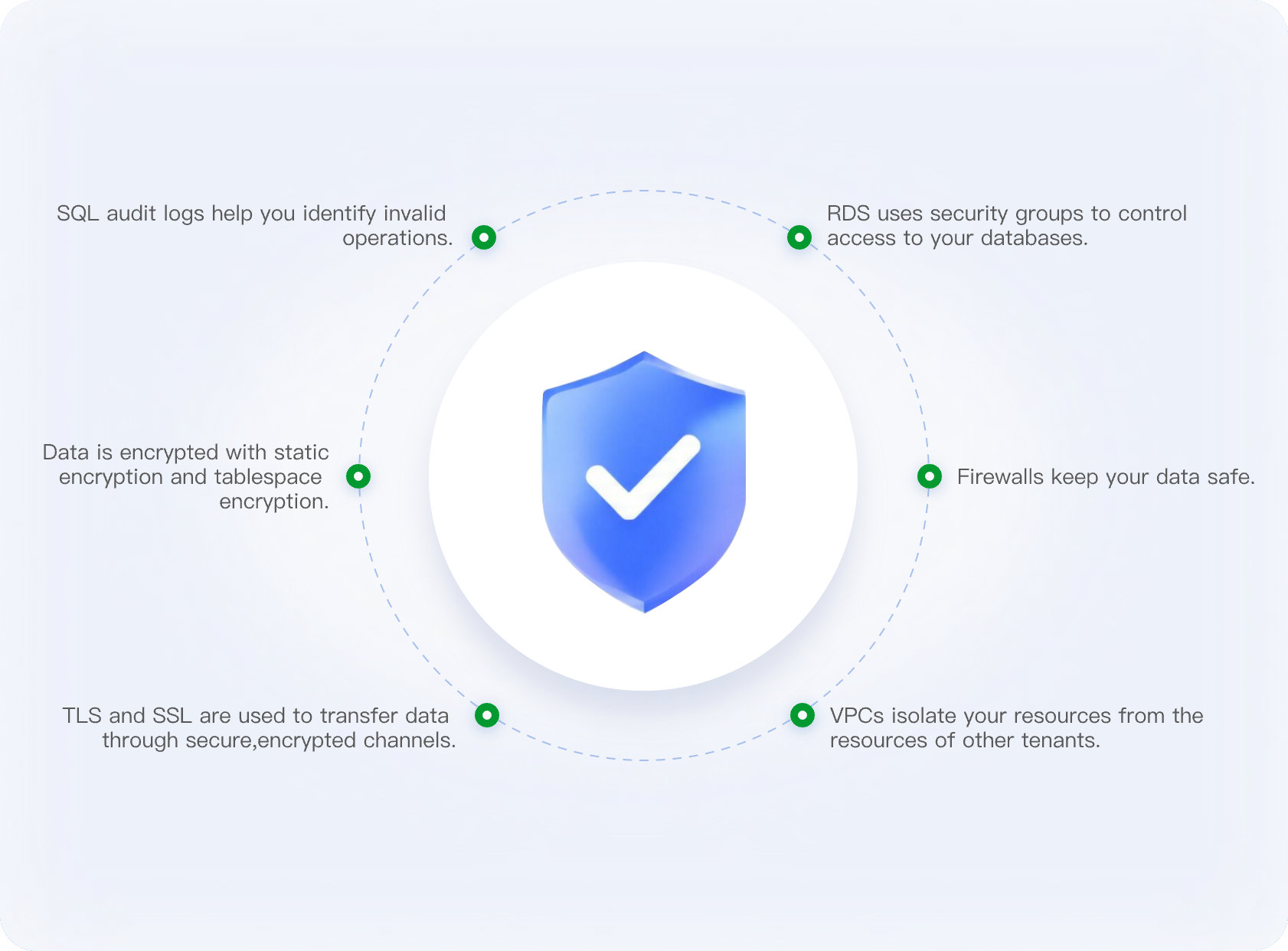
· RDS uses a comprehensive range of security features to achieve a high level of security. It has earned 15+ security certifications.
· This is the first in China to earn ISO/IEC 27034 and CSA STAR V4 certifications.
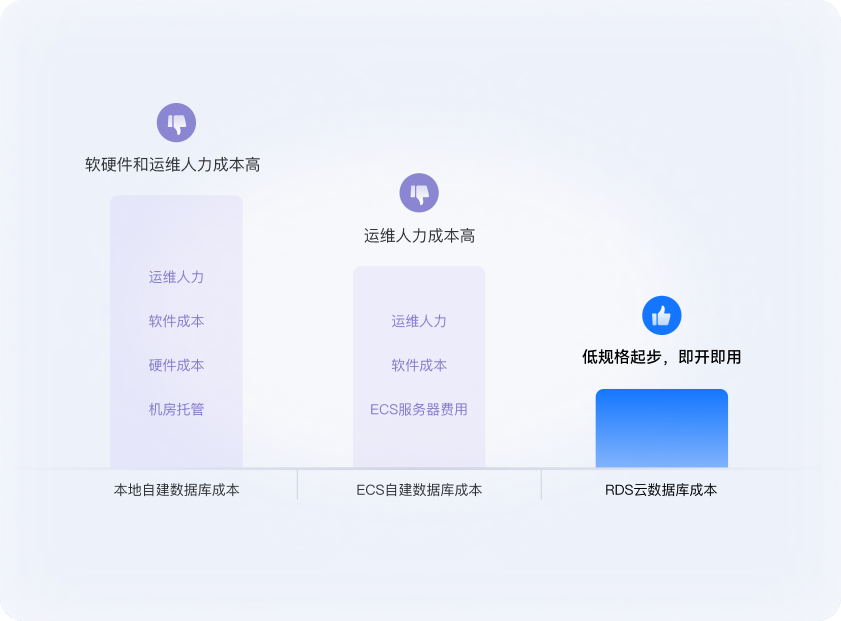
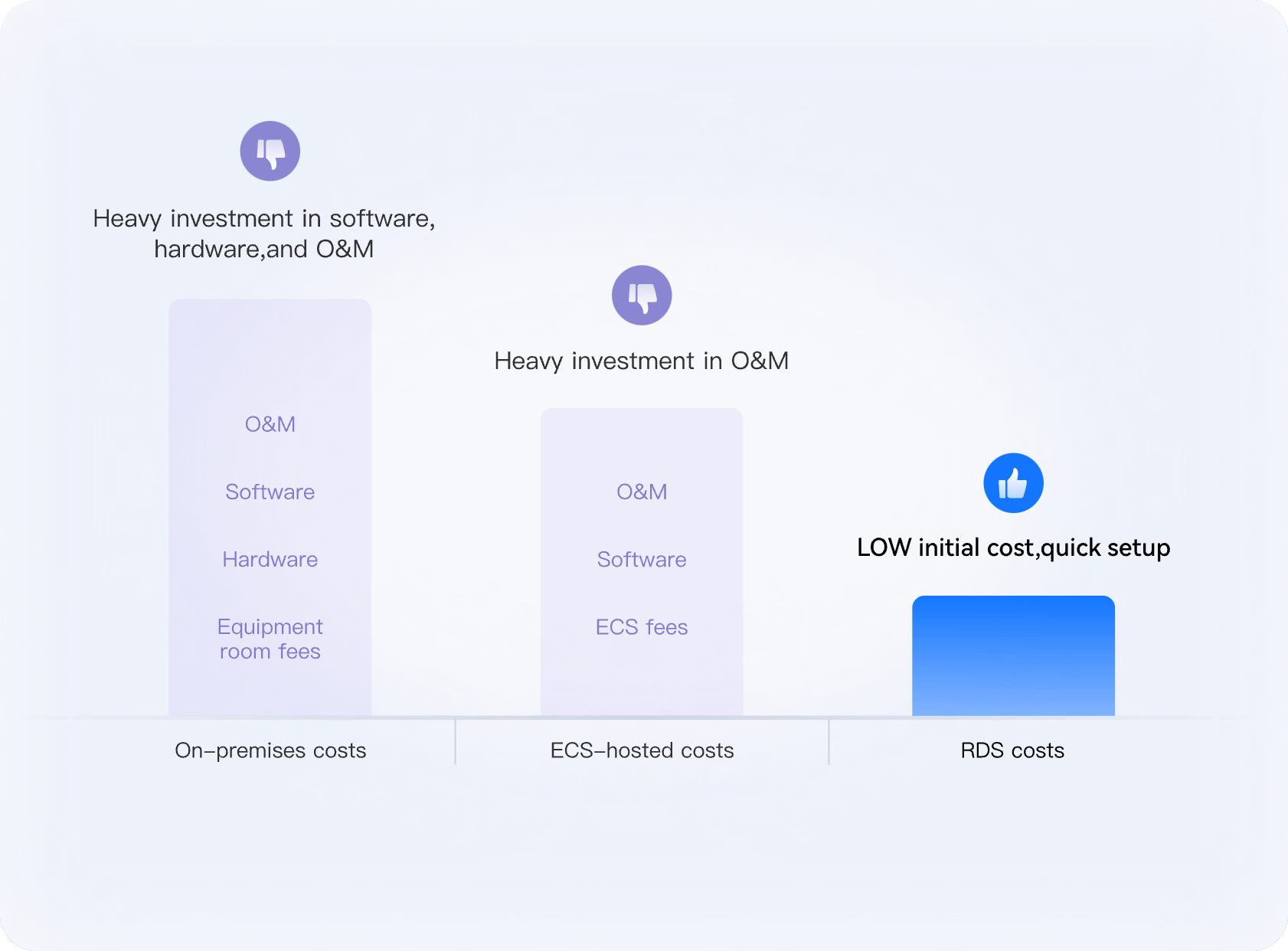
· Using on-premises databases, you have to invest heavily in servers, systems, and equipment hosting. For using RDS instances, there is no hardware or software to buy.
· If you host your own database using ECSs, unlike using RDS, you must purchase, install, and upgrade database software separately. Time-consuming administrative tasks are simplified with the RDS DBA Assistant.


Resources
Resources
Migrate Self-Managed MySQL to RDS for MySQL
Move your self-managed MySQL database to RDS for MySQL step by step
Speed Up RDS for MySQL Query Performance
Improve query performance on RDS for MySQL
Choose and Create Optimal Indexes for Faster Reads
Create the best indexes for database tables
Troubleshoot RDS for MySQL Long-Running Transactions
Identify long-running transactions and terminate them
RDS for MySQL Security Best Practices
Get guidance on configuring security settings to protect your RDS for MySQL workloads
RDS for MySQL Metric Alarm Configuration Recommendations
Configure alarm rules for RDS for MySQL metrics and handle issues based on suggestions
FAQs
FAQs